Introduction
Portable air conditioners are designed to improve comfort during hot weather, but sometimes they may struggle to cool a room effectively. Poor cooling performance can happen for several reasons, including airflow issues, incorrect room sizing, dirty filters, or improper venting.
In this guide, we’ll cover the most common reasons a portable AC may not be cooling properly and how to fix these issues to improve performance.
Quick Picks
| Best For | Recommendation |
|---|---|
| Best Troubleshooting Step | Clean the Air Filter |
| Best Efficiency Upgrade | Proper Window Vent Sealing |
| Best Long-Term Solution | Correct BTU Room Sizing |
Common Reasons a Portable AC Is Not Cooling
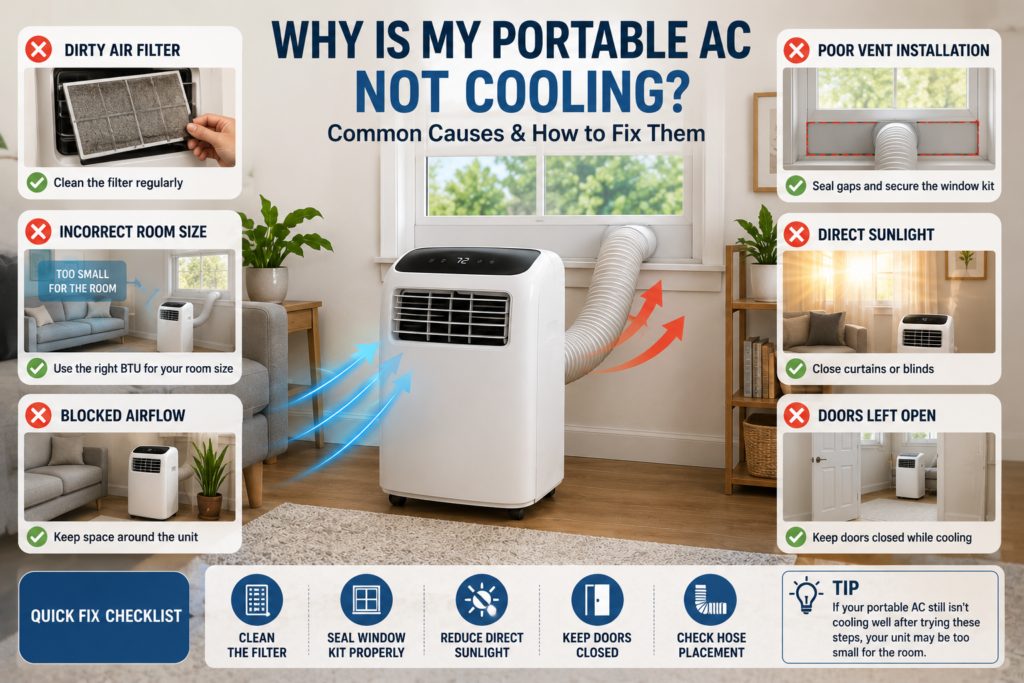
Dirty Air Filter
One of the most common causes of poor cooling is a clogged or dirty air filter.
Dirty filters can:
- restrict airflow
- reduce cooling performance
- force the AC to work harder
- increase electricity usage
Cleaning the filter regularly may improve airflow and cooling efficiency.
Incorrect Room Size
Portable AC units work best when matched to the proper room size.
If the unit is too small:
- it may run continuously
- struggle to lower temperatures
- cool unevenly
Larger rooms often require higher BTU portable AC units.
Poor Window Vent Installation
Improper venting can allow hot outdoor air to leak back into the room.
Common venting issues include:
- gaps around the window kit
- loose hose connections
- excessively long hoses
- bent exhaust hoses
Hot Sunlight Exposure
Rooms with large windows or direct sunlight may heat up faster than the portable AC can cool them.
Closing curtains or blinds during hot afternoons may improve performance.
Blocked Airflow
Portable AC units need space around them for proper airflow.
Furniture, walls, or clutter placed too closely may reduce cooling efficiency.
How to Improve Portable AC Cooling Performance
Clean the Filter
Most portable AC filters can be cleaned easily with water or light vacuuming.
Seal the Window Kit Properly
Preventing warm outdoor air from entering the room improves cooling efficiency.
Reduce Direct Sunlight
Curtains, blackout blinds, or reflective window coverings may help reduce indoor heat buildup.
Keep Doors Closed
Cooling smaller enclosed spaces helps portable AC units perform more effectively.
Check Hose Placement
Shorter, straighter exhaust hoses usually improve cooling performance.
Signs Your Portable AC May Be Too Small
Your portable AC may be undersized if:
- the room never feels cool
- the unit runs constantly
- temperatures barely change
- larger spaces remain warm
Matching BTU output to room size is important for proper cooling performance.
Frequently Asked Questions
Why is my portable AC running but not cooling?
This may happen because of:
- dirty filters
- poor venting
- incorrect room size
- blocked airflow
- extremely hot weather conditions
How often should portable AC filters be cleaned?
Many portable AC filters should be cleaned every few weeks during heavy use.
Can sunlight affect portable AC performance?
Yes. Direct sunlight can significantly increase indoor temperatures and reduce cooling efficiency.
Final Thoughts
Portable AC cooling problems are often caused by airflow restrictions, poor venting, dirty filters, or incorrect room sizing.
If you are learning about vent installation, check out our guide on how to vent a portable AC correctly:
https://coolroomsolutions.com/how-to-vent-a-portable-ac-correctly/
For more efficient cooling options, explore our guide on the best energy efficient portable ACs:
https://coolroomsolutions.com/best-energy-efficient-portable-acs/
If you are comparing system designs, take a look at our guide on single hose vs dual hose portable AC:
https://coolroomsolutions.com/single-hose-vs-dual-hose-portable-ac/
For larger cooling needs, check out our guide on the best portable ACs for large rooms:
https://coolroomsolutions.com/best-portable-acs-for-large-rooms/